
What is Dirty Frag?
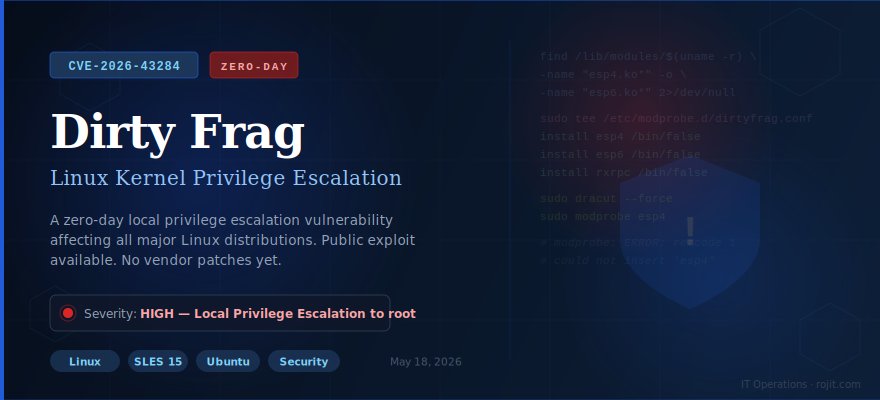
Dirty Frag (CVE-2026-43284) is a local privilege escalation (LPE) vulnerability in the Linux kernel. It was discovered and disclosed by security researcher Hyunwoo Kim. The vulnerability chains two separate flaws in the kernel’s page-cache write path:
xfrm-ESP flaw
A write vulnerability in the IPsec (xfrm) subsystem has been present since January 2017. Affects the esp4 and esp6 kernel modules.
RxRPC flaw
A write vulnerability in the rxrpc subsystem has been present since June 2023. Affects the rxrpc kernel module.
By exploiting the kernel’s zero-copy send path (used by splice and sendfile), an attacker with any local account can write into the kernel page cache and immediately gain root access — in a single command.
Who is affected?
All major Linux distributions are affected if they include the vulnerable kernel modules. This includes:
| Module | Purpose | Affected since | Risk |
|---|---|---|---|
esp4 |
IPsec over IPv4 | January 2017 | ⬤ High |
esp6 |
IPsec over IPv6 | January 2017 | ⬤ High |
rxrpc |
AFS / RxRPC protocol | June 2023 | ⬤ High |
rxrpc is not present in all distributions. On SLES 15, for example, it is not installed by default. The esp4 and esp6 modules, however, are almost universally present.
All of the following commands are read-only and completely safe to run on live production systems. Nothing will be modified.
1. Check for vulnerable module files
This checks whether vulnerable kernel modules are present on disk.
|
1 2 3 4 |
find /lib/modules/$(uname -r) \ -name "esp4.ko*" -o \ -name "esp6.ko*" -o \ -name "rxrpc.ko*" 2>/dev/null |
.ko or .ko.xz file paths — the modules are present and the system is vulnerable.rxrpc) — that attack chain is not available on this system.2. Check if modules are currently loaded
This checks whether any vulnerable modules are currently running in the kernel.
|
1 |
lsmod| egrep'^(esp4|esp6|rxrpc)' |
3. Check if a mitigation is already in place
|
1 |
cat /etc/modprobe.d/dirtyfrag.conf 2>/dev/null || echo"NOT mitigated" |
NOT mitigated — No prior fix in place. Proceed with the steps below.4. Check if IPsec is in active use
This is a critical prerequisite check. If IPsec is in use, blocking esp4/esp6 will disrupt active VPN tunnels.
|
1 |
ip xfrm state |
esp4/esp6 without coordinating with your network team first.The workaround works by telling the kernel module system to run /bin/false whenever something attempts to load the vulnerable modules. /bin/false is a built-in program that immediately exits with an error — effectively blocking the module from loading entirely.
ip xfrm state returned no output. If IPsec is in use, do not disable esp4 or esp6 until you have migrated your IPsec configuration or a vendor patch is available.Create the blacklist file
Paste the following block into your terminal all at once. Do not enter it line by line — the shell requires the closing EOF marker to know the input is complete.
|
1 2 3 4 5 |
sudo tee /etc/modprobe.d/dirtyfrag.conf <<'EOF' install esp4 /bin/false install esp6 /bin/false install rxrpc /bin/false EOF |
The tee command will echo back the three lines after writing. That is normal — it confirms the file was created correctly.
Rebuild the initrd (required for persistence across reboots)
The initial RAM disk (initrd) is loaded by the bootloader before the root filesystem is available. The modprobe rules must be baked into it so the mitigation survives a reboot. Use the appropriate command for your distribution:
|
1 |
sudo dracut --force |
|
1 |
sudo update-initramfs -u |
dracut will print warnings about missing optional modules (dmraid, ntfs-3g, iscsi, nvme). These are completely normal and can be safely ignored. Wait for the final line confirming the initramfs image was created.
Confirm the file contents
|
1 |
cat /etc/modprobe.d/dirtyfrag.conf |
Expected output — all three lines must be present:
|
1 2 3 |
install esp4 /bin/false install esp6 /bin/false install rxrpc /bin/false |
Test that module loading is blocked
|
1 |
Expected output (this error is what you want to see):
|
1 2 |
modprobe: ERROR: Error running install command '/bin/false' for module esp4: retcode 1 modprobe: ERROR: could not insert 'esp4': Invalid argument |
Confirm no modules are loaded
|
1 |
lsmod | egrep'^(esp4|esp6|rxrpc)' |
Expected: no output. Combined with the modprobe error above, this confirms the system is fully protected.
✅ Mitigation summary
Vulnerability
Dirty Frag / CVE-2026-43284
Type
Local privilege escalation
Workaround
Disable esp4, esp6, rxrpc modules
Reboot required?
No — effective immediately
Service impact
None (if IPsec not in use)
Patch status
Pending — monitor vendor advisories
Rolling back after an official patch
When your distribution releases an official kernel update that addresses CVE-2026-43284, you can remove the workaround. Always apply and reboot into the patched kernel first before removing the file.
|
1 2 3 4 5 6 7 8 9 10 11 12 13 |
# 1. Apply kernel update sudo zypper update kernel-default # SLES sudo apt update && sudo apt upgrade # Ubuntu # 2. Reboot into patched kernel sudo reboot # 3. Remove the workaround file sudo rm /etc/modprobe.d/dirtyfrag.conf # 4. Rebuild initrd sudo dracut --force # SLES sudo update-initramfs -u # Ubuntu |
Where to monitor for official patches
SUSE Security Advisories
Ubuntu Security Notices
CISA Known Exploited Vulnerabilities
This post was published by IT Operations on May 18, 2026. Information is accurate as of the publication date. This is a workaround, not a permanent patch. Always apply official vendor updates when available.